 Unpuzio
How to get a free OpenRouter key
OpenRouter is a service that lets you use AI models for free. With its key, Unpuzio recognizes food from a photo of your plate, a nutrition label or a description. It takes about 5 minutes and you don't need a credit card.
⚠️ OpenRouter isn't available in some countries. If you see “Not available in your region”, use a VPN or pick another provider in Settings → AI.
On the OpenRouter website
- 1
Open OpenRouter
Go to openrouter.ai — on your phone or computer, either works. In the top-right corner, tap Sign Up.
- 2
Create an account
The easiest way is Continue with Google: pick your Google account and you're done. GitHub or email work too — with email you'll get a message with a confirmation link to tap. No credit card needed.
- 3
Open the keys page
Go to openrouter.ai/settings/keys. Or tap your avatar in the top-right corner and choose Keys.
- 4
Create a key
Tap Create API Key. In Name, type anything, for example
Unpuzio. Leave the other fields (like Credit limit) as they are — free models don't cost anything. Tap Create. - 5
Copy the key
You'll see a long string starting with
sk-or-v1-. Tap the copy button next to it. The key is shown only once — if you close the window without copying it, just create a new one. Keep the key private: it works like a password.
In the Unpuzio app
- 6
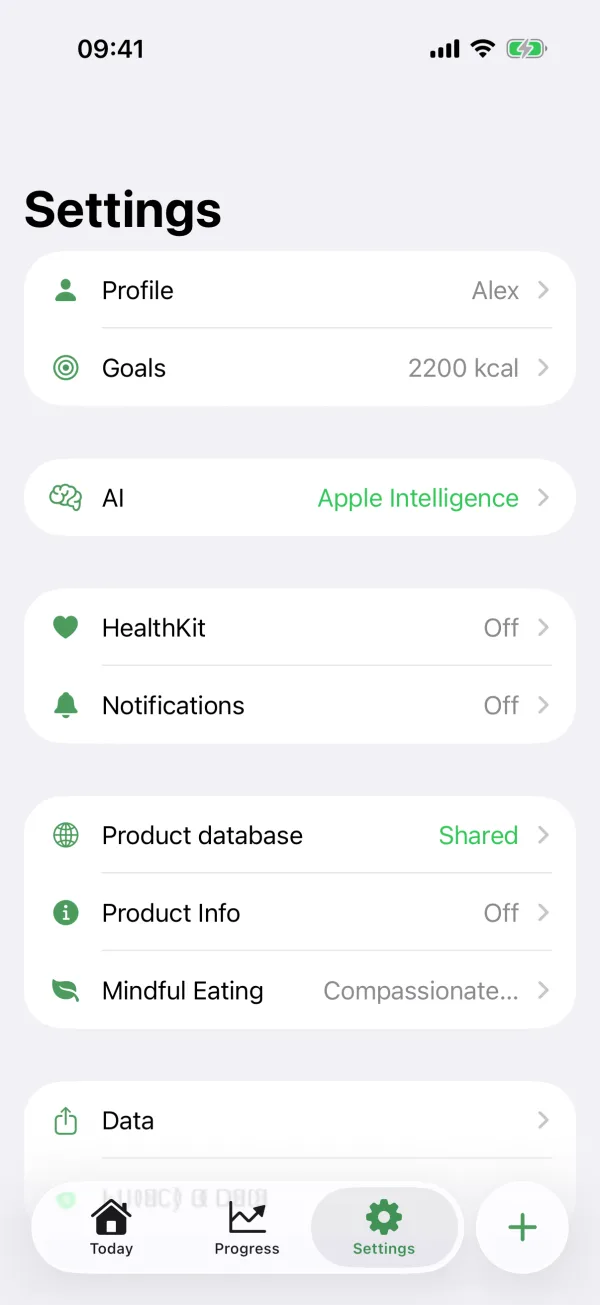
Open AI settings
In Unpuzio, open the Settings tab → AI.
- 7
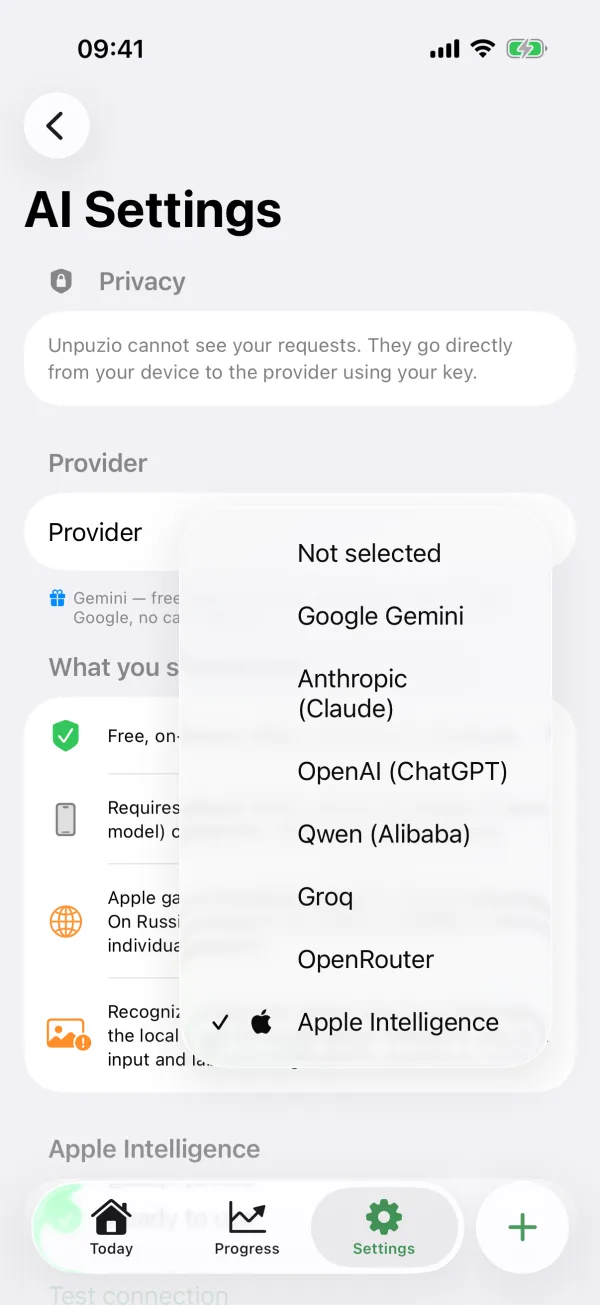
Choose OpenRouter
Tap Provider and pick OpenRouter from the list.
- 8
Paste the key
Tap the
sk-or-...field, press and hold, and choose Paste. Then tap Test connection at the bottom — you should see “Connection successful”. No need to change the models: the freeopenrouter/freeis the default.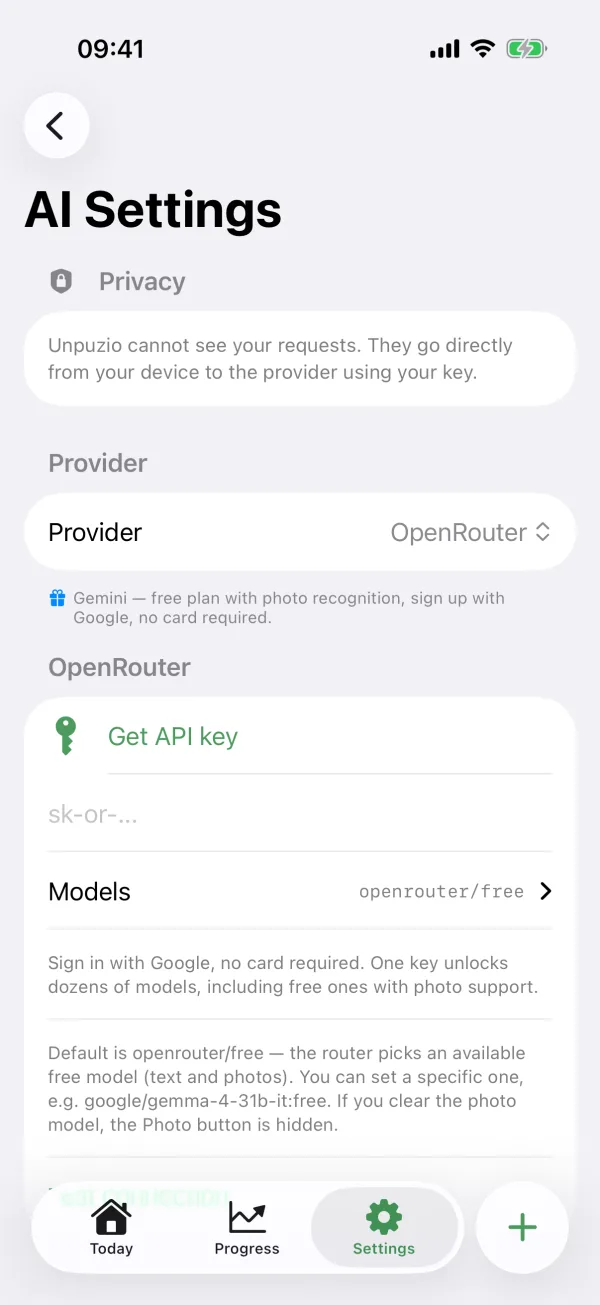
- 9
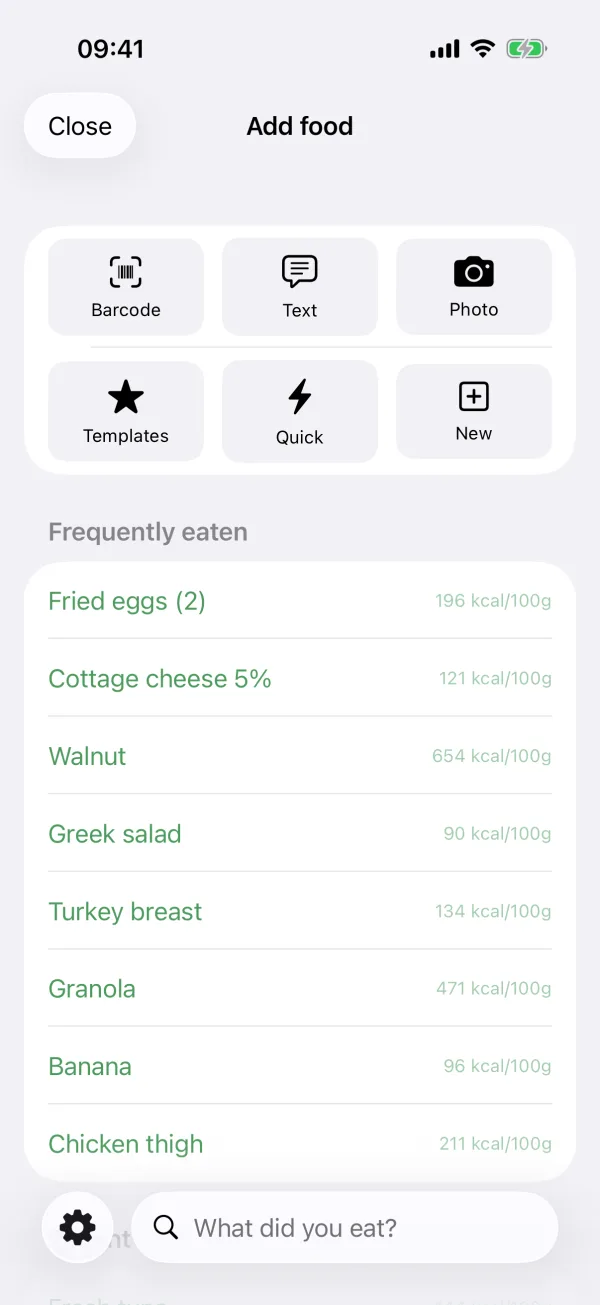
Done — snap your food
Tap + — “Add food” now has a Photo button. Snap your plate or a label, check the grams and save.
Troubleshooting
Is it really free?
Yes. Unpuzio uses OpenRouter's free models (openrouter/free), which cost nothing. The limit is about 50 requests a day. If you ever top up your OpenRouter balance with $10, the free-model limit rises to 1,000 requests a day.
“Not available in your region”
OpenRouter doesn't work in your country without a VPN. Turn on a VPN and try again — or choose another provider in Settings → AI.
“Too many requests” or error 429
You've hit the daily free limit, or the service is busy. Try again in a few minutes or tomorrow.
Recognition isn't accurate
Free models are weaker than paid ones. You can always fix grams and macros before saving. For the best accuracy, connect your own Claude, ChatGPT or Gemini key.
I lost my key
No problem: on the keys page, delete the old one, create a new one and paste it into Unpuzio.
Is it safe?
The key is stored in your iPhone's Keychain. Food photos and descriptions go straight from your phone to OpenRouter — Unpuzio never sees or stores them.